
Install Nova TV on Android
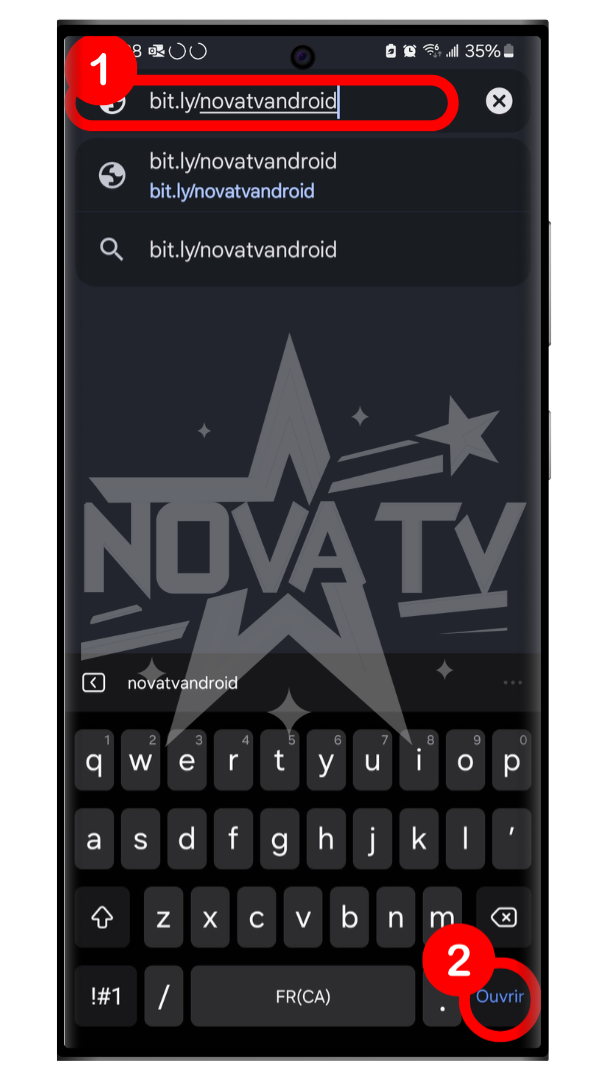
On a browser (Chrome), go to bit.ly/novatvandroid.
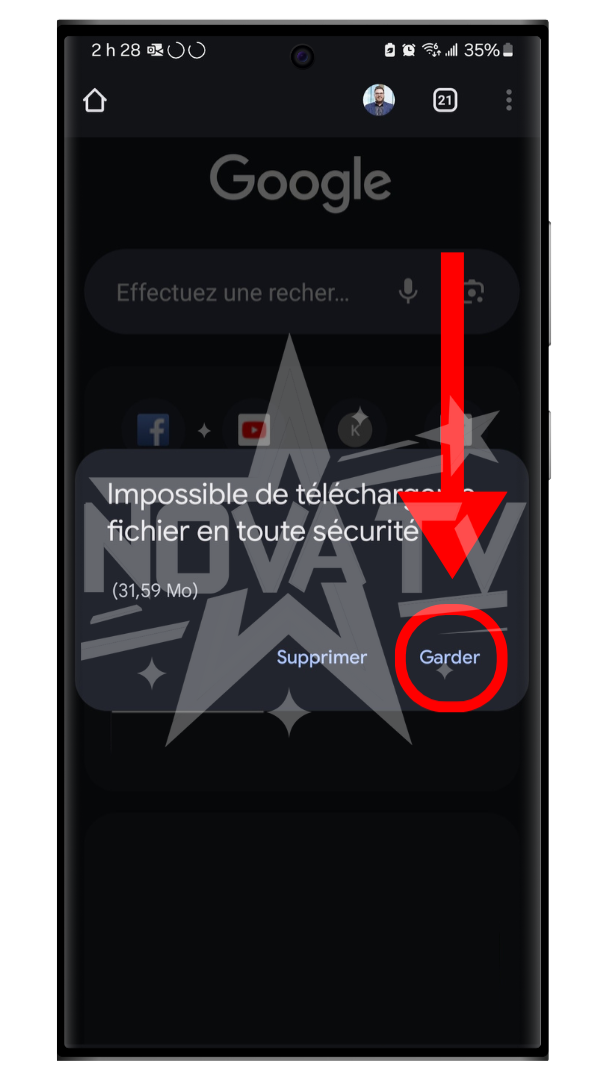
The application will download.
Press "Keep".
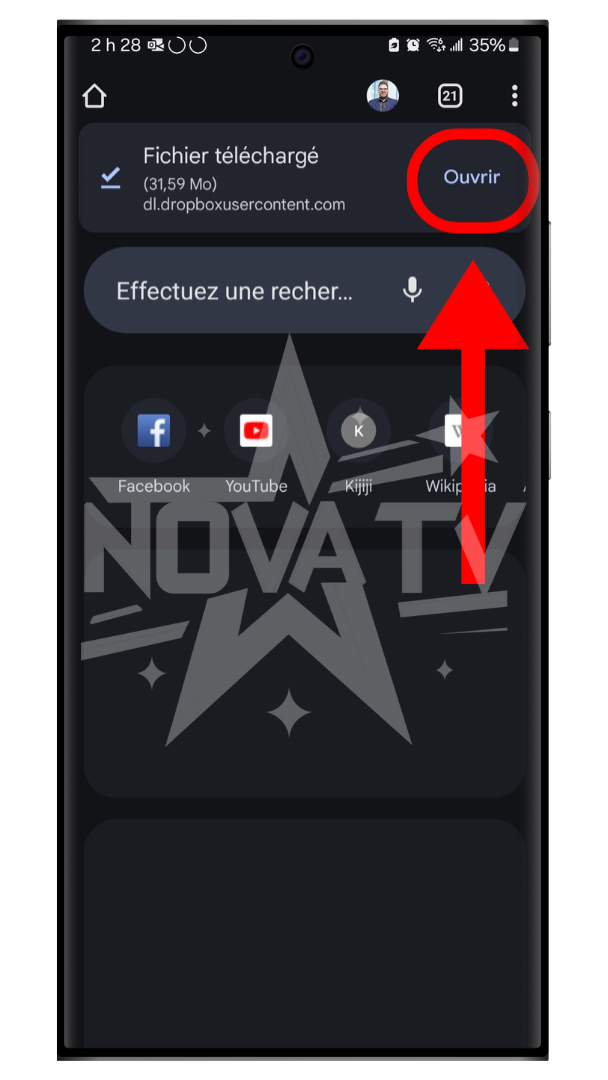
Once the download is complete, press "Open".
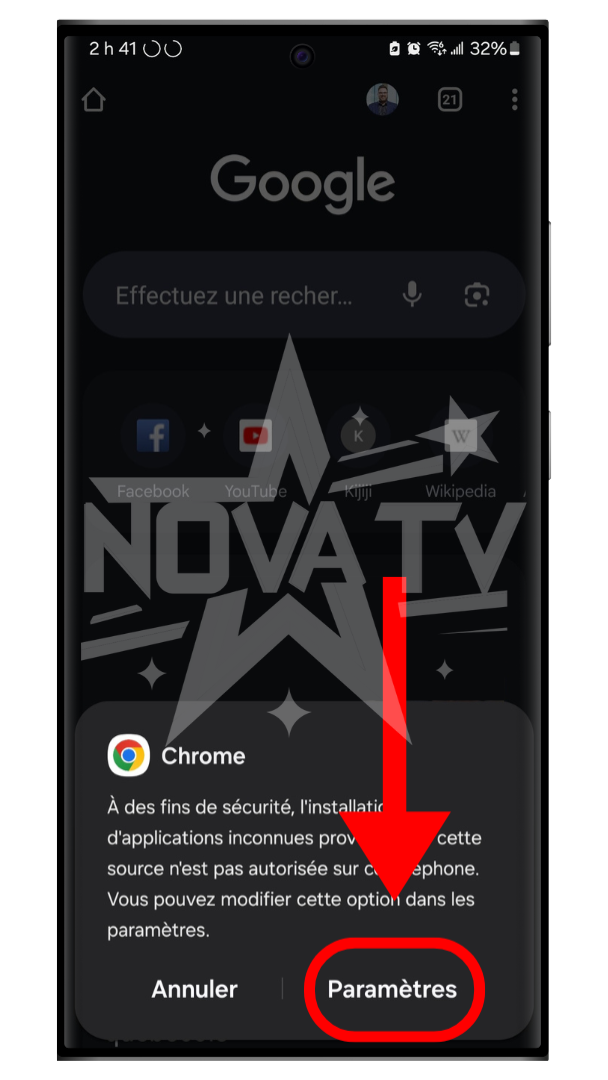
If Chrome or the browser prompts you, accept the icon installation.
Click on "Settings".

Authorize the granting of authorization.
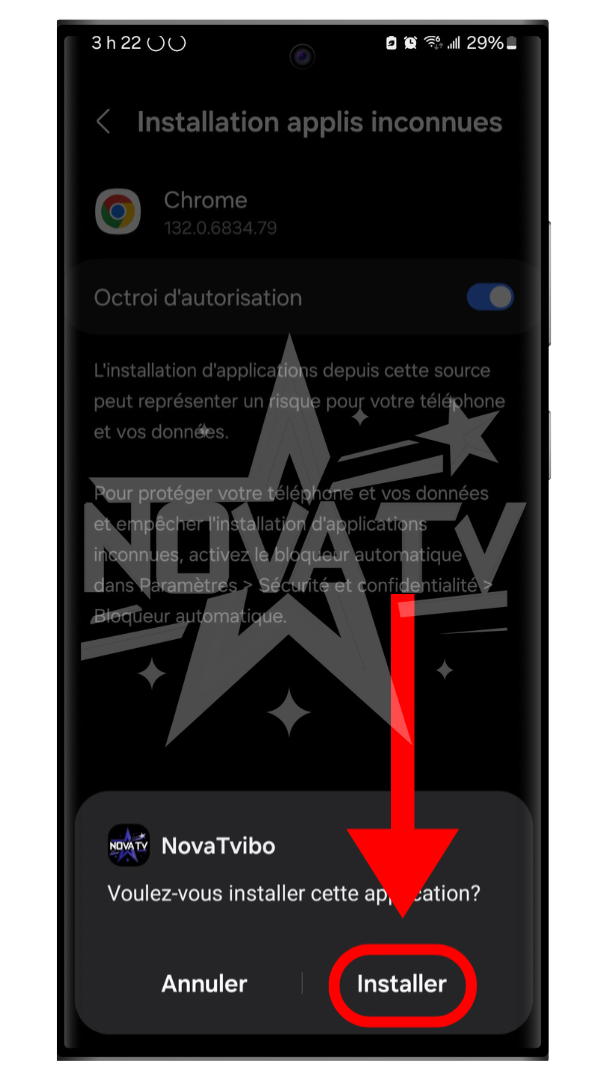
Press "Install".
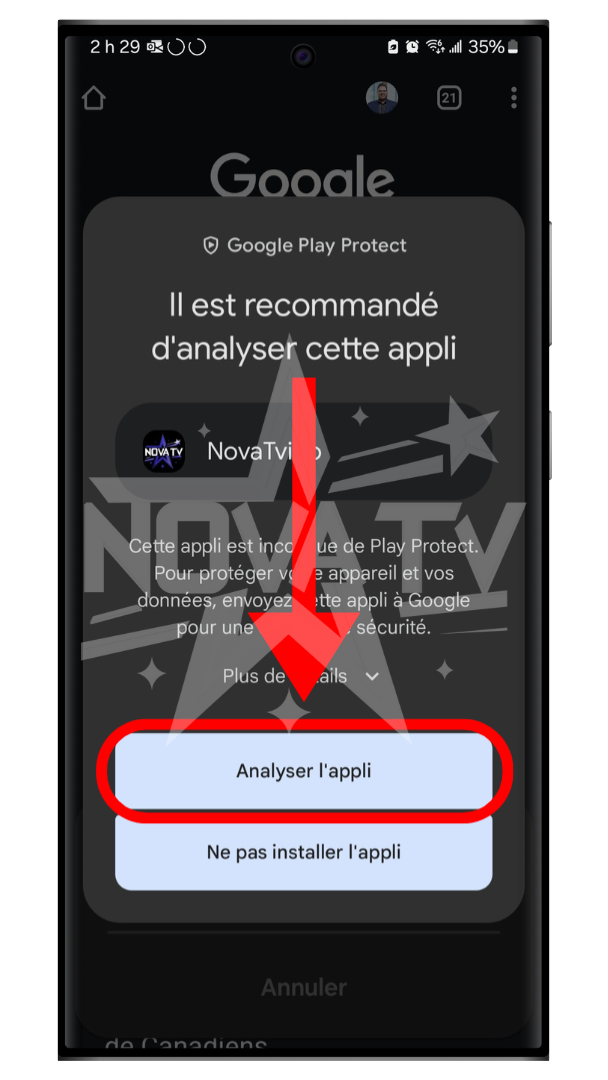
Press "Analyze app", if requested.
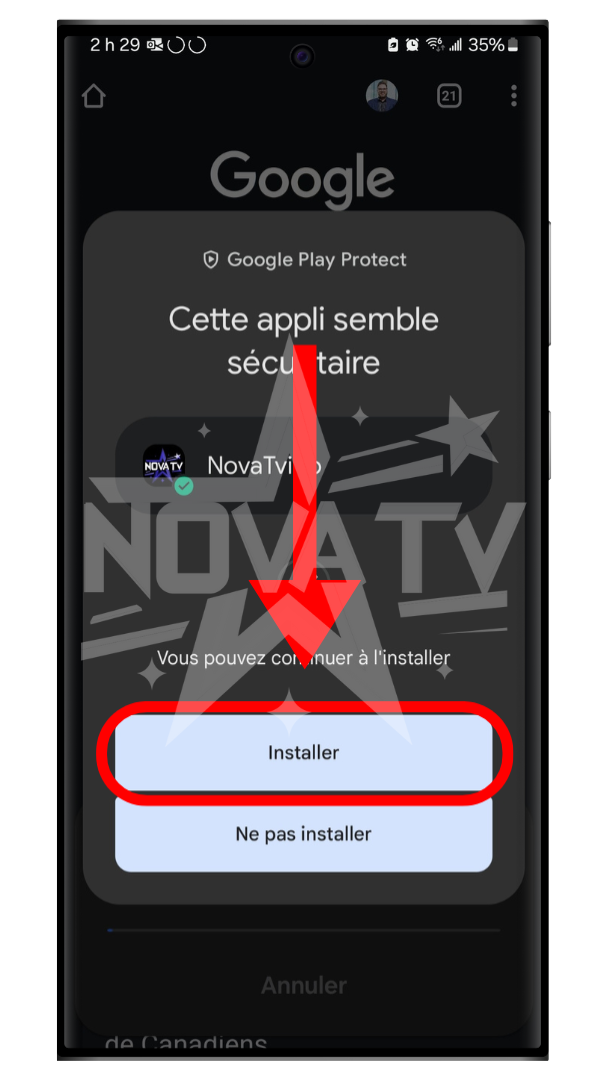
Press "Install", if requested.
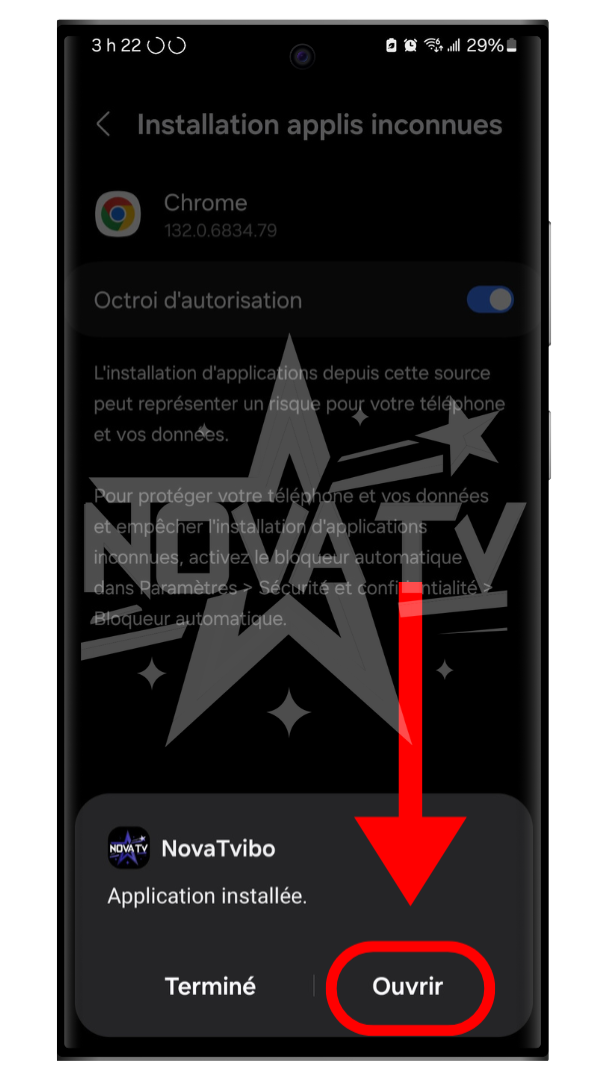
Once installation is complete, press "Open".
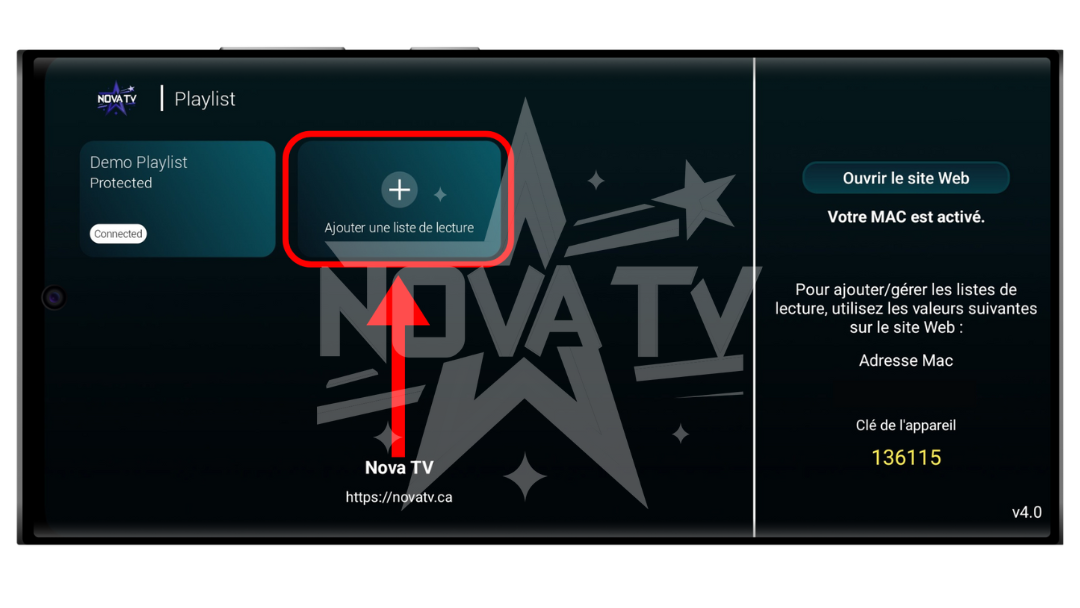
Once in the application, click on "Add a playlist".
PS: With the purchase of a Nova TV subscription, we offer you free activation of the application. To activate it, send us a screenshot of this application screen (with mac address and device key visible) via the website chat.
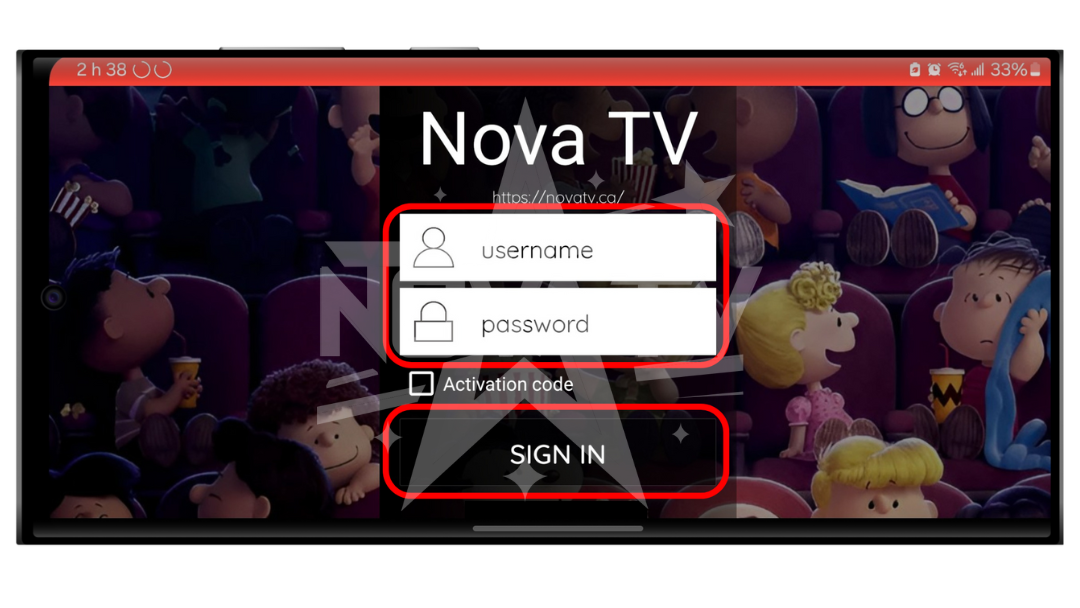
Enter your Nova TV login information.
Username: your username
Password: your password
NOTE: If you've lost the email, you can retrieve your information in "My Account" on the Nova TV website.