
Install Nova TV on IPhone and IPad
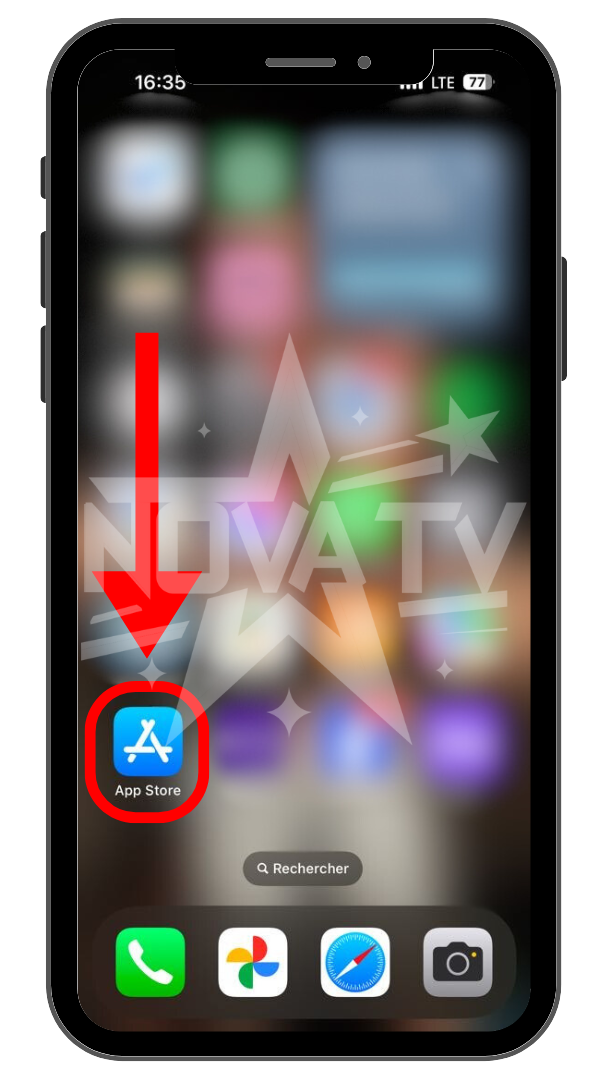
Open the App Store.
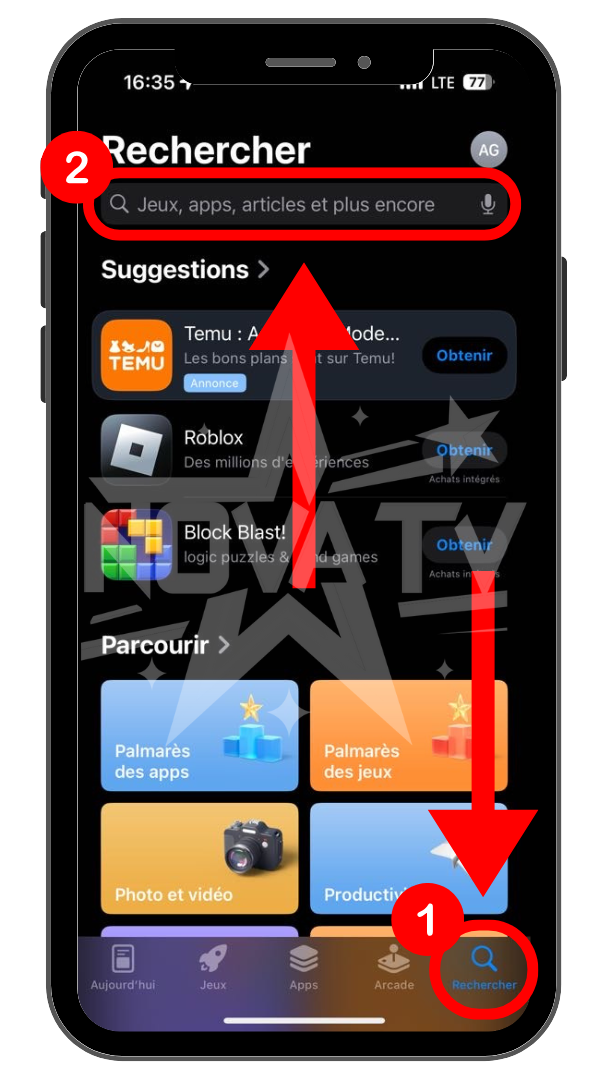
In the App Store, click on the search icon and then on the search bar.
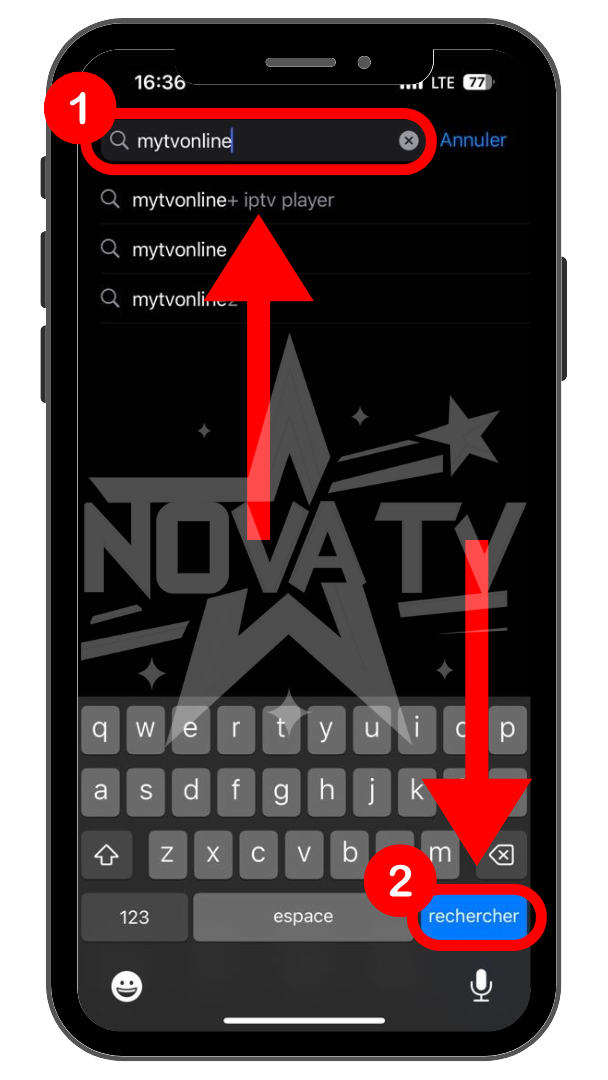
Type "MyTvOnline" and press "search".
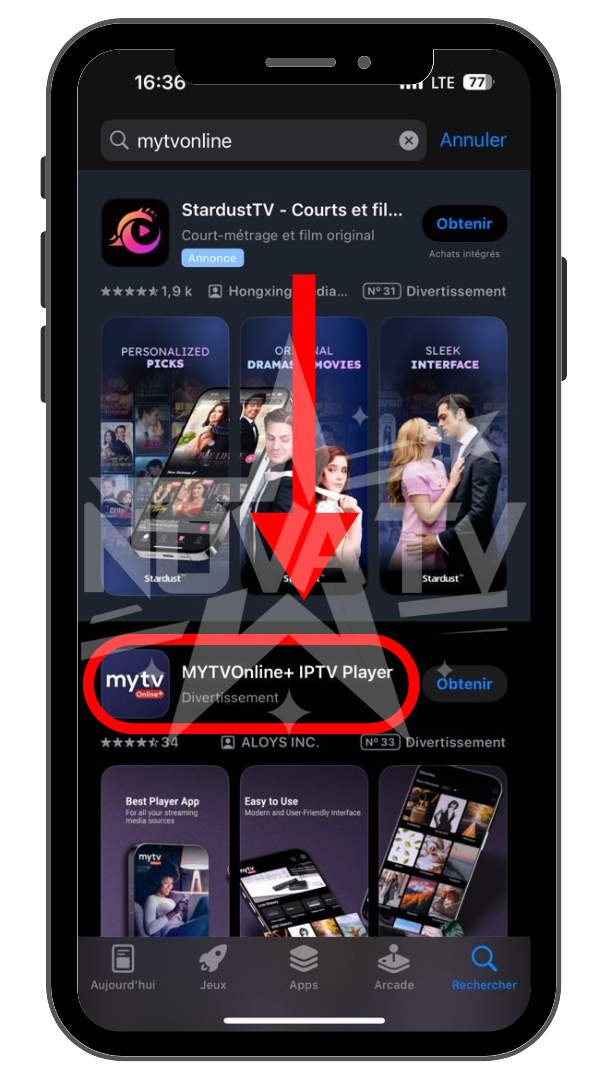
Press the application as shown on the screen.
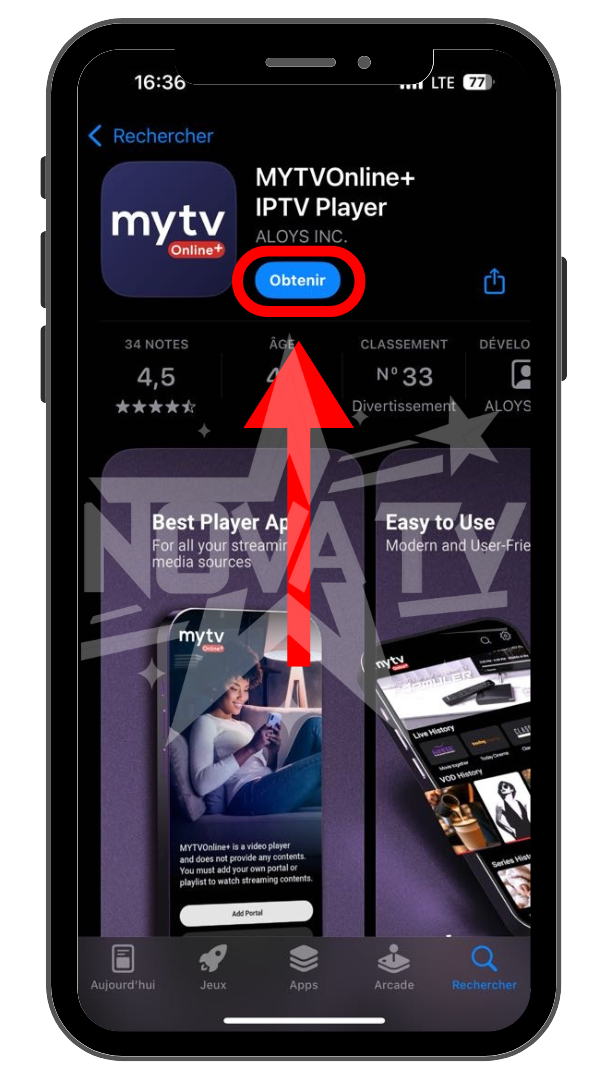
Press "Get" and wait for installation.
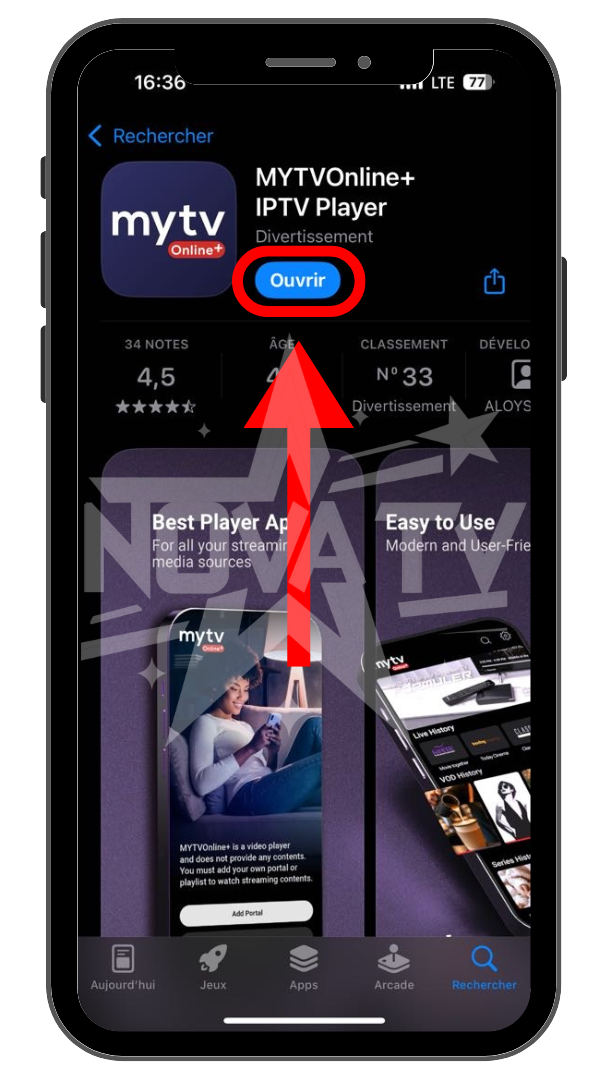
Once installation is complete, click on "Open".
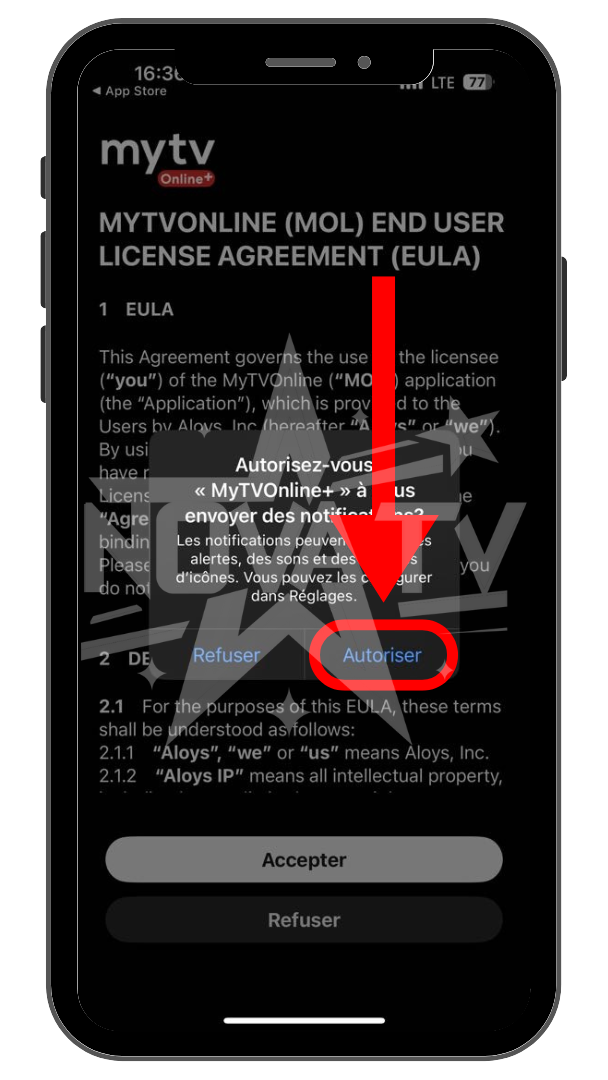
Once in the application, enable notifications.
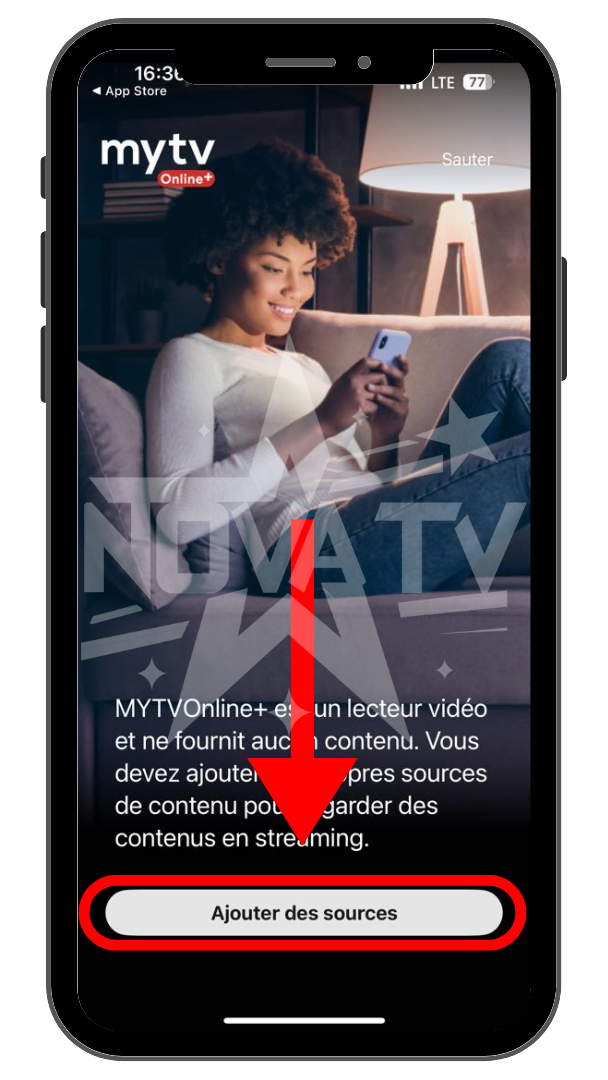
Accept the terms of use.
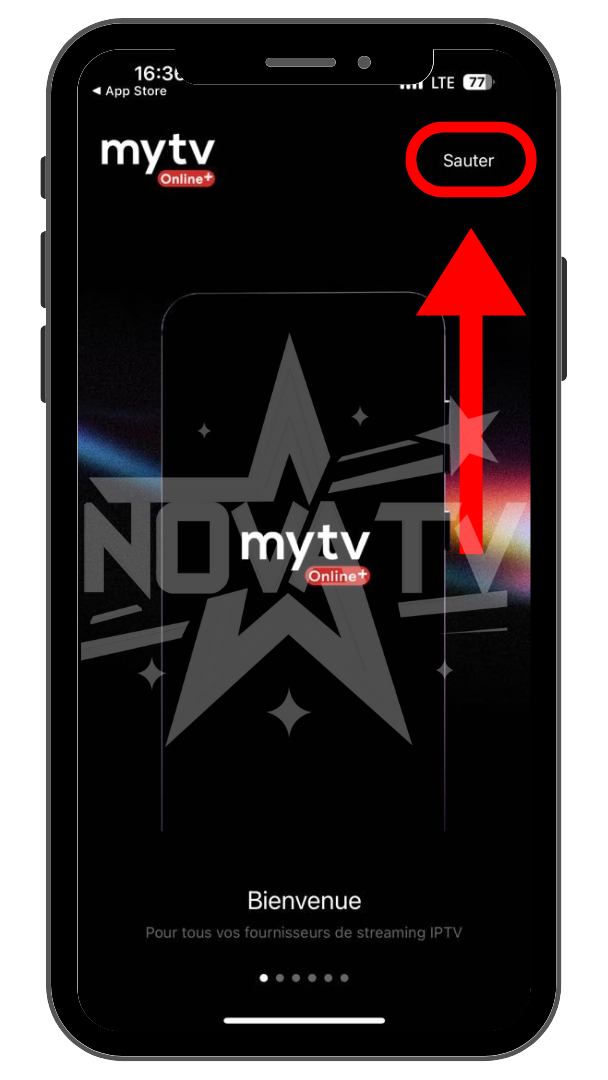
Press "Skip" to skip the tutorial.
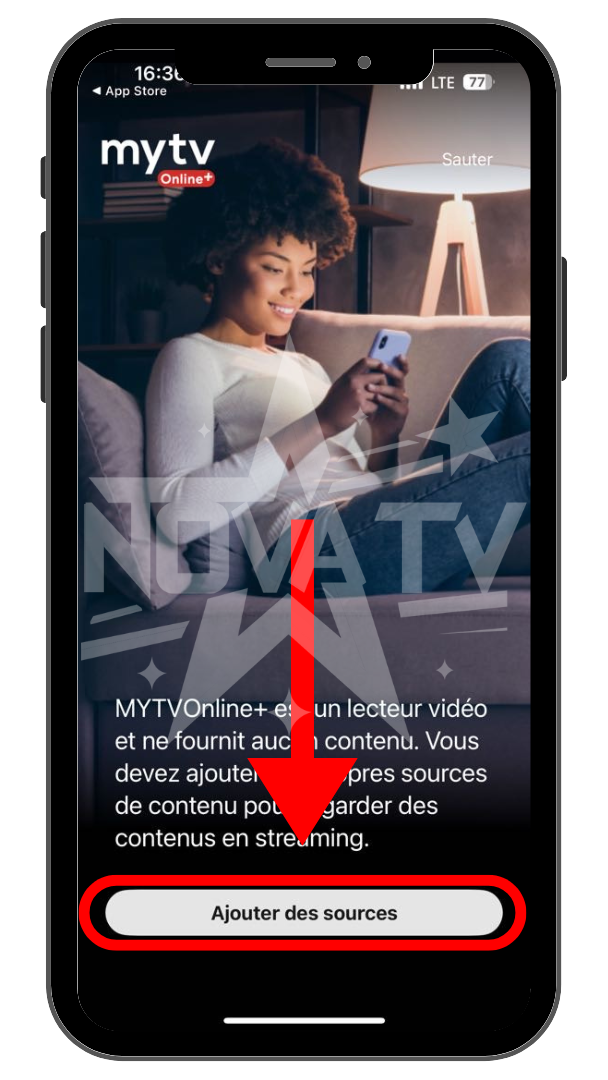
Press "Add sources".
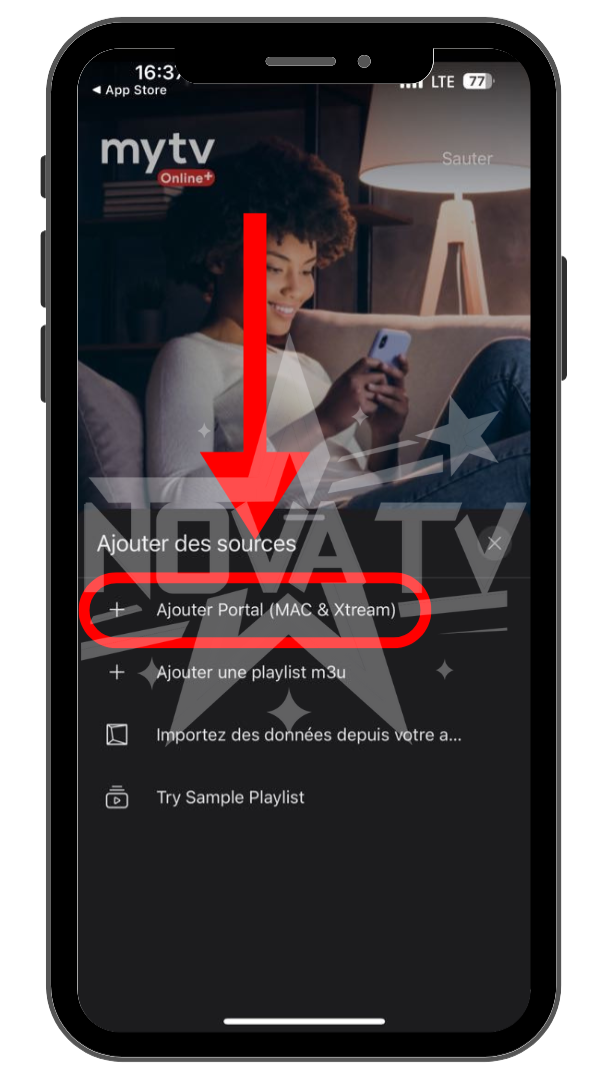
Press the "Add Portal (MAX & Xtream)" option.
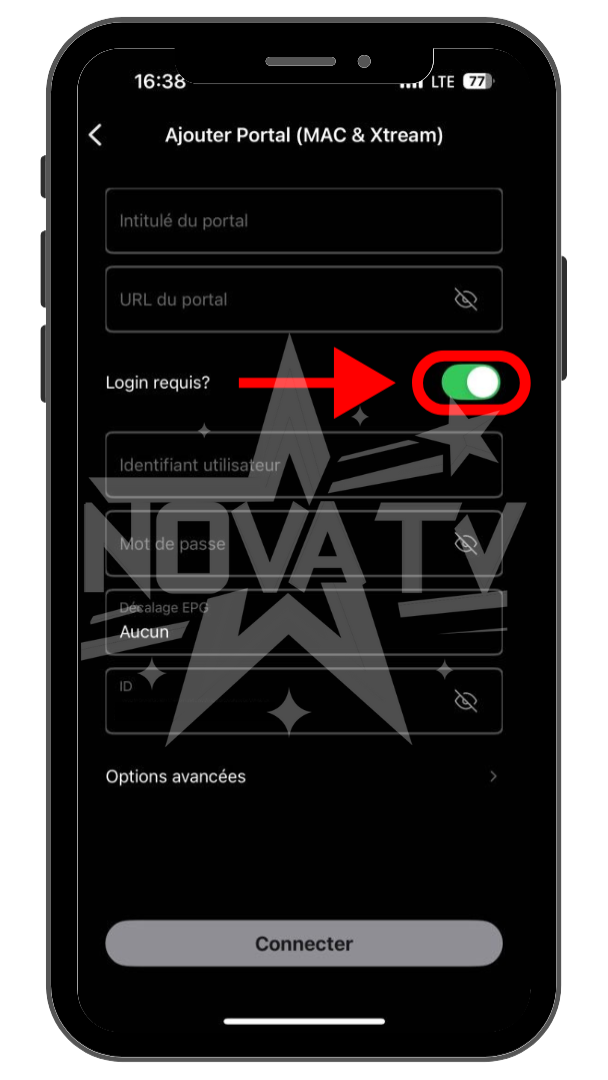
Check the "Login required?" box
Enter your Nova TV login information.
Portal name: Name you want (example: Nova TV)
Portal url: Url sent by e-mail. (Server)
Username: your username
Password: your password
Press "Connect" once you've entered your information.
NOTE: If you've lost the e-mail, you can retrieve your information in "My Account" on the Nova TV website.